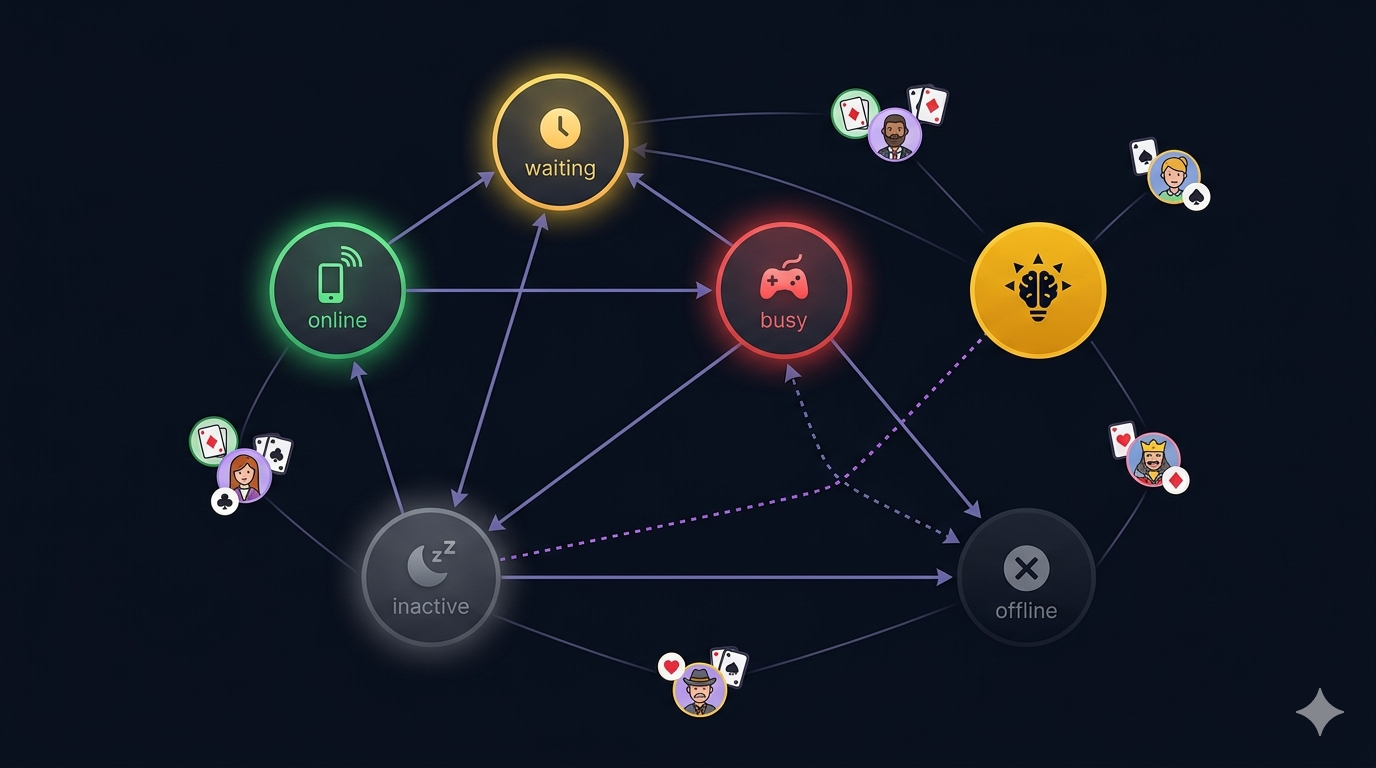

In a multiplayer game, presence seems simple: players are either online or offline. In practice, the states between those — “in the lobby,” “waiting for a game,” “in an active match” — are where everything breaks. A “challenge” notification sent to someone who’s mid-game is worse than useless. It’s disruptive.
Cabo’s presence system tracks five states: online, waiting, busy, inactive, and offline. The tricky ones are inactive (app minimized but still alive) and the distinction between currentStatus and logicalStatus.
Firebase RTDB for presence
We use Firebase Realtime Database (not Firestore) for presence. RTDB has built-in onDisconnect()— a server-side guarantee that fires when the client’s connection drops, even if the client crashes or loses network. This is critical. Without it, you’d need periodic heartbeats and cleanup crons.
Future<void> connect(User user) async {
  final userRef = _ref.child(user.uid);

  // Server-side guarantee: goes offline even on crash / kill
  await userRef.onDisconnect().update({
    'status': UserStatus.offline.name,
    'updatedAt': ServerValue.timestamp,
  });

  // Set initial online status
  await userRef.set({
    'uid': user.uid,
    'name': user.username,
    'status': UserStatus.online.name,
    'updatedAt': ServerValue.timestamp,
  });
  _currentStatus = UserStatus.online;
  _logicalStatus = UserStatus.online;
}
The onDisconnect().update() call registers a server-side operation that fires when the client disconnects — whether gracefully or abruptly. No heartbeat, no cron, no stale data. RTDB handles it.
The two-status problem
When the app is minimized, iOS and Android fire AppLifecycleState.paused. At that point, the “real” status should be inactive— the user isn’t looking at the screen. But if they’re in an active Cabo game, the WebSocket is still connected and the game is still running on the server.
If we wrote inactiveto RTDB, the FCM handler would see the user as “not busy” and deliver a challenge notification. That notification would pop up over the game the user is mid-way through playing — a terrible experience.
The fix: maintain two status variables.
/// The raw lifecycle status — what the OS thinks.
/// Becomes inactive/offline on minimize. Used for RTDB writes
/// so the home screen activity strip shows accurate info.
UserStatus? _currentStatus;

/// The last meaningful status set by the app (game screens, lobby).
/// Never set to inactive/offline — those are lifecycle-managed.
/// Use this for FCM routing decisions.
UserStatus? _logicalStatus;currentStatusis what’s written to RTDB — it reflects the real device state and powers the activity strip on the home screen.logicalStatusis what the FCM handler checks — it reflects the user’s actual intent.
The inactive→offline timeout
When the app is minimized, we mark the user inactiveimmediately. But we don’t want them showing as “inactive” forever if they just closed the app. So after 3 minutes of being paused, we transition to offline:
void onAppPaused() {
  updateStatus(UserStatus.inactive);
  _backgroundTimer = Timer(const Duration(minutes: 3), () {
    updateStatus(UserStatus.offline);
  });
}
When the app resumes, we cancel the timer and restore the logical status:
void onAppResumed() {
  _backgroundTimer?.cancel();
  // Restore the last app-driven status, not blindly 'online'
  updateStatus(_logicalStatus ?? UserStatus.online);
}
This is subtle. If the user was busy (in a game) and then minimized and resumed, we restore busy — not online. The game’s WebSocket is still alive, and they’re still playing. Setting them to online would make them appear available for challenges.
The home screen activity strip
The home screen shows a horizontal strip of live player statuses — who’s online, who’s waiting for a game, who’s in a match. This is powered by RTDB listeners on the /presencecollection. When a player’s status changes from online to waiting, the strip updates in real time.
When a player taps “challenge” on someone in the strip, the app sends an FCM data message with command: "room"and the room ID. The handler checks the recipient’s logicalStatus — not currentStatus — to decide whether to deliver the notification or silently drop it.
What happens on force-quit
When the OS kills the app (or the user force-quits it from the app switcher), the RTDB connection drops. The onDisconnect() handler fires, setting the user to offline. This is the entire reason we use RTDB instead of Firestore for presence — Firestore doesn’t have onDisconnect().
The one edge case: if the app is killed while a Cabo game is in progress, the server detects the WebSocket disconnect and writes an abandonedsession outcome. The user’s presence goes to offline and their PQ drops by 50 points. The incentive to finish your games is real.
What I’d Tell My Past Self
- Use RTDB for presence, Firestore for data. RTDB’s
onDisconnect()is the only reliable way to handle crash detection. Don’t try to replicate it with Firestore timers. - Maintain two statuses.
currentStatusfor the device lifecycle (what RTDB shows).logicalStatusfor app intent (what FCM checks). Never use the lifecycle status for notification routing. - Transition from inactive to offline with a timer. 3 minutes is the sweet spot — long enough that a quick phone call doesn’t mark you offline, short enough that a genuinely dead session doesn’t linger.
- Restore logical status on resume, not “online.” If the user was mid-game when they minimized, they’re still mid-game when they come back. Restoring
onlinewould make them appear available for new challenges.