
Cabo is a real-time multiplayer card game. The core loop is simple: find an opponent, play a round, win or lose, play again. But here’s the problem I kept thinking about — what happens when there’s nobody online?
A multiplayer-only app lives and dies by its active user count. If you open it at 2am or you’re in a region with low density, you’re staring at an empty lobby. That’s a terrible experience, and it’s one I was determined not to leave users with.
So I made a decision: add single-player games. Not random mini-games, but something intentional — games that exercise your mind. Games that feel worth playing even when you’re alone. I built Trek (a path-finding puzzle, think LinkedIn Zip), Recall (a memory game), and Wordgrid (a daily crossword). Each one is a proper game with its own mechanics, its own UI, and its own backend logic.
Solo or multiplayer — I wanted Cabo to always have something worth opening for.
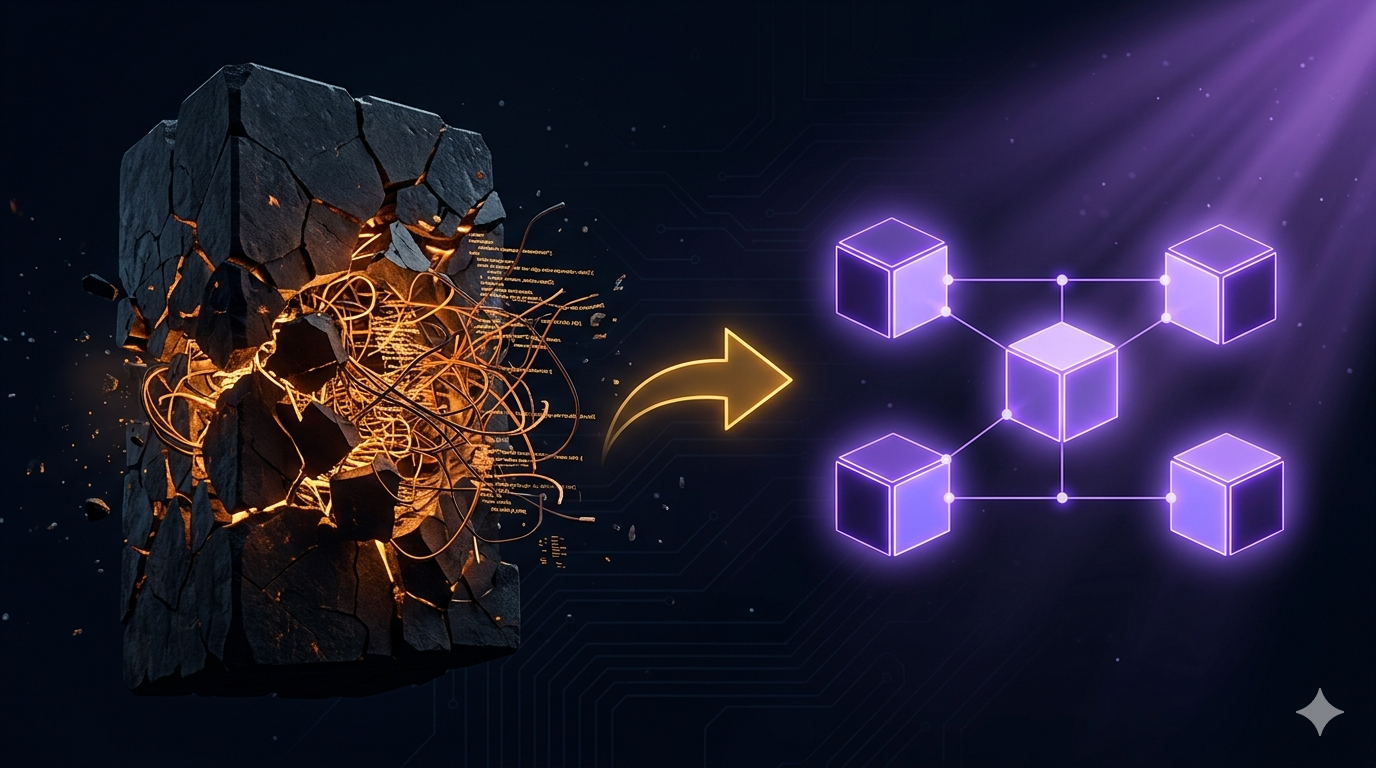
But adding these games to an existing Flutter codebase revealed a deeper problem. The app wasn’t built for this. Cabo’s game logic was woven into the fabric of the app itself — into the router, the DI setup, the service lifecycle, everything. Adding Trek wasn’t just building a game, it was untangling months of accidental coupling first.
That experience pushed me to modularize. Not because it was the trendy thing to do — but for two very specific reasons that I kept coming back to.
Why I Did This
Reason 1: New games should be plug-and-play
If I decide tomorrow to ship a new game — say, a word association game or a sudoku variant — I shouldn’t have to touch anything that already exists. I shouldn’t open app_router.dartand worry about breaking Trek’s routing. I shouldn’t touch the global DI setup and wonder if Cabo’s services are affected. I should just build the game, drop it in, and ship it.
That was the goal. One new folder, one line in the router, everything else self-contained. Like a plug-and-play hardware peripheral — the host doesn’t need to know the internals of what you plugged in.
Reason 2: A game should only know about the game
This one took me longer to articulate, but it’s the more important principle. Before modularization, Cabo’s game screens had visibility into FCM handling. Into navigation decisions that belonged at the app level. Into services that had nothing to do with card games.
A game module should be responsible for exactly one thing: the game. It shouldn’t know how a push notification routes to it. It shouldn’t know that other games exist. It shouldn’t care about the app shell around it. That separation of concerns isn’t just clean code aesthetics — it’s what makes the module genuinely independent and testable.
If your game module knows how to handle an FCM notification, it knows too much.
What the Monolith Actually Looked Like
Before I started, the structure was the standard Flutter “feature folders” layout. One setupLocator() that registered everything at startup. One app_router.dart with all 60+ routes. One navigator key shared across every screen in the app.
When I added Trek, the symptoms hit immediately:
- Global DI bleed: Cabo’s
GameServicewas alive in memory while the user was playing a Trek puzzle. It had no reason to be — it was just sitting there, holding a WebSocket connection to a multiplayer session that wasn’t happening. - The router kept growing:Every new game added 10–15 routes to an already bloated file. Worse, they all had to live next to each other with no isolation. A typo in Trek’s route paths could silently shadow a Cabo route.
- No lifecycle concept:There was no “this module is running” and “this module is done.” Services just existed. State leaked across game sessions. Exiting a game and re-entering sometimes gave you stale state from a previous round.
- Shared navigator chaos: One root navigator key for everything. Pushing into a nested game screen sometimes ended up on the wrong stack. The back button did unexpected things. Debugging it was guesswork.
Designing the Module Contract
The first step was defining what a “module” means in this codebase — not as a vague concept, but as a concrete interface every game must implement. I landed on three responsibilities: own a base route path, report whether you’re running, and know how to boot yourself.
/// Contract every game module must implement.
abstract interface class GameModule {
  /// The root path this module mounts at — e.g. '/appHome/cabo'
  String get basePath;

  /// True when DI is registered and the ShellRoute is mounted.
  bool get isBooted;

  /// Boots the module — registers its services, prepares its state.
  /// Idempotent: calling this twice is safe.
  Future<void> ensureBooted();
}
Three methods. That’s the entire contract. Everything else — WebSocket connections, puzzle generators, scoreboard logic — is a private implementation detail that the rest of the app never sees.
Lazy Boot: Pay Only for What You Use
The most impactful change was moving from eager global registration to lazy per-module registration. A module’s services are registered the first time the user navigates into it, and torn down completely when they leave.
class CaboModule implements GameModule {
  CaboModule._();
  static final CaboModule instance = CaboModule._();

  bool _isBooted = false;

  @override
  String get basePath => '/appHome/cabo';

  @override
  bool get isBooted => _isBooted;

  @override
  Future<void> ensureBooted() async {
    if (_isBooted) return; // already running — nothing to do
    await CaboInjection.register(deps);
    _isBooted = true;
  }

  /// Called when the user exits the module — guaranteed clean slate.
  void reset() {
    if (!_isBooted) return;
    locator<GameService>().dispose();
    locator.unregister<GameService>();
    // ... unregister the rest of Cabo's services
    _isBooted = false;
  }
}
The reset() method is just as important as ensureBooted(). Without it, services from a finished game session stay registered in GetIt, holding memory and state that has no business existing. With it, exiting the Cabo module is a deterministic teardown — the next entry always gets fresh instances.
The Router Becomes a Thin Orchestrator
Before modularization, app_router.dartwas a 400-line monolith. Every game’s routes, guards, and redirect logic lived in one place. After, the main router’s job is simple: spread each module’s routes into the GoRouter tree, and trigger lazy boot on navigation.
final router = GoRouter(
  initialLocation: AppRoutes.splash,
  redirect: _handleModuleBoot,
  routes: [
    GoRoute(path: AppRoutes.appHome, builder: ...),

    // Each module is fully self-contained. The router just spreads them in.
    ...getCaboRoutes(),
    ...getRecallRoutes(),
    ...getTrekRoutes(),
    ...getWordgridRoutes(),

    // Adding a new game in the future: one line.
    // ..getNextGameRoutes()
  ],
);
The _handleModuleBootredirect fires on every navigation. It checks whether the destination path belongs to a module, and if that module hasn’t booted yet, boots it before letting the navigation proceed.
Future<String?> _handleModuleBoot(
    BuildContext context, GoRouterState state) async {
  final path = Uri.parse(state.location).path;

  for (final module in _modules) {
    final base = module.basePath;
    if (path == base || path.startsWith('${base}/')) {
      if (!module.isBooted) await module.ensureBooted();
    }
  }
  return null; // null = proceed with navigation as-is
}
The main router doesn’t import GameService. It doesn’t import WebSocketManager. It doesn’t know anything about puzzles or cards or scoreboards. It just knows that modules exist and that they need to be booted before you enter them. That’s the boundary I wanted.
Core vs. Module: Drawing the Line
The hardest part of this whole exercise wasn’t writing the module system. It was deciding what belongs inside a module and what belongs in the app core. I settled on a simple rule:
If two or more modules depend on it — it’s core. If only one module uses it — it’s internal to that module.
A few decisions that were harder than they looked:
- PresenceService— tracks whether the user is in a game, in a lobby, or available. Core. FCM routing decisions depend on this regardless of which game is active. A module can’t own it because the FCM handler runs outside any module’s scope.
- GameService (Cabo) — manages the active Cabo WebSocket session and game state. Module-internal. Trek has its own puzzle state manager; they share zero code. Putting this in core would have been the wrong abstraction.
- AdService— displayed across multiple screens in different modules. Core. Individual modules consume it but don’t own its lifecycle.
- Analytics— every module fires events into a single analytics instance. Core singleton. Modules call into it, but it’s registered once and never torn down.
ShellRoute: Isolated Navigator Per Game
Each module uses GoRouter’s ShellRoute to get its own nested navigator. This solved two problems at once: back-stack isolation (game screens push onto their own stack, not the root), and Provider scoping (module services are only in the widget tree while that module is mounted).
List<RouteBase> getCaboRoutes() => [
  ShellRoute(
    navigatorKey: _caboNavigatorKey, // Cabo's own navigator — fully isolated
    builder: (context, state, child) => CaboProviders(child: child),
    routes: [
      GoRoute(
        path: CaboRoutes.home,
        builder: (context, state) => CaboHomeView(
          pendingInvite: state.extra as InviteParameters?,
        ),
        routes: [
          GoRoute(path: CaboRoutes.lobby, ...),
          GoRoute(path: CaboRoutes.game, ...),
        ],
      ),
    ],
  ),
];
CaboProviders wraps the shell and injects GameService into the widget tree. When the user exits the module, the ShellRoute unmounts — which disposes CaboProviders — and CaboModule.reset() unregisters everything from GetIt. The next entry into Cabo gets a completely fresh start, every time.
Three Things I Learned the Hard Way
1. registerFactory vs registerLazySingleton — get this wrong and state breaks silently
If a module controller needs to be shared between a UI widget and an external trigger (say, an FCM handler that calls into the active game) —registerFactorywill create a new instance every time it’s called. Your widget gets one instance. The FCM handler gets a different one. They share no state. The bug is invisible until a notification tap does nothing to the running game.
Use registerLazySingleton for anything that needs to be shared, and make sure reset()explicitly unregisters it. Don’t let singletons outlive their module.
2. Provider’s create: is lazy — and that will burn you
ChangeNotifierProvider(create: (_) => locator<T>()) looks fine but defers the locator lookup until the first widget in the subtree asks for it. If reset() runs before that widget builds — because the user navigated away before the UI fully mounted — the locator throws because T was already unregistered. I hit this on fast navigation sequences.
The fix: use ChangeNotifierProvider.value(value: locator<T>()). This resolves the instance eagerly at provider-build time, not lazily on first widget access.
3. Navigator keys are load-bearing architecture
GoRouter’s ShellRoute creates a nested navigator. Pushes inside the shell go to the shell’s stack. If you navigate from outside the shell — or use the wrong navigator key — your route ends up on the root stack, outside the Provider tree, and every context.read<T>() inside that screen throws.
The go() vs push()distinction matters more than any GoRouter tutorial tells you. This warrants its own article — and I wrote one. It’s next in the series.
What It Looks Like to Add a Game Now
After the refactor, adding Wordgrid looked like this:
- Create
lib/modules/wordgrid/ - Implement
GameModule— three methods, done - Write
wordgrid_router.dartwith its routes and ShellRoute - Add
...getWordgridRoutes()to the main router - Add
WordgridModule.instanceto the_moduleslist
Wordgrid took two days to integrate into the app. Nothing in Cabo, Trek, or Recall changed. The core router added one line. That’s the outcome I built toward.
Good architecture doesn’t make the first feature faster. It makes the fifth feature feel like the first.
And the best part? When I decide to add the next game — and I will — I won’t open a single existing file with anxiety. I’ll open a new folder and start building.