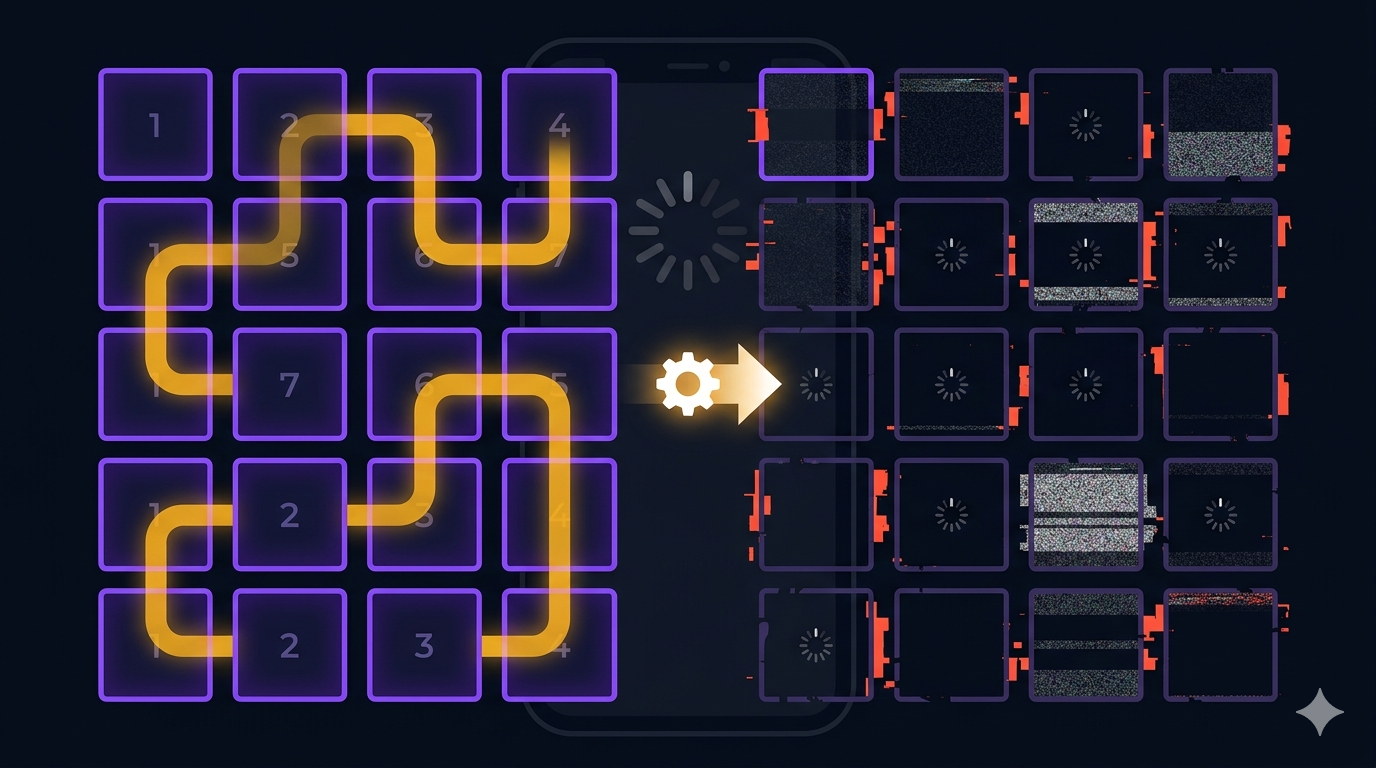
Trek is a Hamiltonian-path puzzle — find a path that visits every cell exactly once. The puzzle itself is generated using a Warnsdorff’s rule heuristic with backtracking DFS. For a 5×5 grid, this is fast. For a 7×7 or 9×9 grid, the DFS can backtrack heavily, exploring hundreds of dead-end paths before finding a solution.
During QA, I noticed the app would freeze for 200-400ms when starting a hard-difficulty Trek game. The UI completely stopped — no animation, no loading indicator, no response to touches. On older devices, it was worse.
The freeze was consistent but hard to reproduce in debug mode because the debug VM is already slow enough that the freeze blends in with general jank. In profile mode, it was obvious.
If your UI freezes and you can’t reproduce it, check which thread your compute is running on. If it’s the main isolate, you found it.
The Problem: puzzle generation on the main thread
The original code generated the puzzle inside the BLoC event handler:
EventHandler<TkGameStarted> _onGameStarted = (event, emit) {
  final config = TkGridConfig.forDifficulty(event.difficulty);
  // This runs on the main isolate — blocks UI for 200-400ms
  final puzzle = TkPuzzle.generate(config, Random());
  emit(TkPlaying(puzzle: puzzle, ...));
};TkPuzzle.generateis pure computation — no I/O, no side effects, no Flutter dependencies. It takes a grid configuration and a random seed, and returns a solved puzzle. This makes it a perfect candidate for Flutter’s compute() function, which runs a function in a separate isolate.
The Fix: 40 lines of isolate work
Flutter’s compute()spins up a short-lived isolate, sends the arguments over a port, runs the function, and sends the result back. The function must be top-level or static — it can’t be a closure or instance method because the isolate has no access to the enclosing scope.
/// Top-level function required by compute()
/// Must not be a closure or instance method
TkPuzzle _generatePuzzle(TkGridConfig config) =>
    TkPuzzle.generate(config, Random());

class TrekBloc extends Bloc<TkEvent, TkState> {

  Future<void> _onGameStarted(
      TkGameStarted event, Emitter<TkState> emit) async {
    final config = TkGridConfig.forDifficulty(event.difficulty);
    emit(TkGenerating(config)); // Show skeleton UI

    // Generate puzzle off the main thread
    final puzzle = await compute(_generatePuzzle, config);

    if (isClosed) return;
    emit(TkPlaying(puzzle: puzzle, difficulty: event.difficulty, ...));
  }
}
Three changes:
- Made
_generatePuzzlea top-level function (required bycompute). - Added
TkGeneratingstate — the UI shows a skeleton grid while the isolate works. - Used
await compute()in the event handler, so the BLoC yields back to the event loop while the isolate runs.
The UI now renders the skeleton immediately, the isolate computes the puzzle, and the grid appears populated. No freeze. The whole change was 40 lines, including the skeleton UI state.
Why not Isolate.spawn?
Flutter also offers Isolate.spawn for long-running compute tasks. I chose compute() because:
- Puzzle generation is a one-shot task.There’s no need for a persistent isolate. Spin up, compute, return, tear down.
- The function is pure. No shared state, no streams, no message ports.
compute()’s argument-and-return model fits perfectly. - Error handling is built in. If the isolate throws,
compute()propagates the exception to the caller. No manual error port setup.
If the puzzle generator needed to stream progress (e.g., “15% complete”), I’d use Isolate.spawn with a SendPort. But Warnsdorff’s rule either finds a solution quickly or backtracks — there’s no useful progress to report.
The Skeleton UI
The TkGenerating state shows a placeholder grid at the correct size. The player sees something immediately — the grid is visible, just empty. When the puzzle arrives, cells populate. If the isolate takes longer than 100ms, the skeleton is still better than a completely frozen screen.
if (state is TkGenerating) {
  return TkSkeletonGrid(gridSize: state.config.size);
} else if (state is TkPlaying) {
  return TkPuzzleGrid(puzzle: state.puzzle, path: state.path);
}
Could I have used a loading spinner instead?
Yes, but a skeleton is better. A loading spinner tells the user “something is loading, wait.” A skeleton tells them “the grid is coming, and it’ll look like this.” For a game where the grid size changes with difficulty, the skeleton also primes the player’s expectations — they see the 9×9 layout before they see the numbers.
Why this wasn’t caught in unit tests
The puzzle generator was tested with small grid sizes (3×3, 5×5) that complete in microseconds. The freeze only appeared at hard difficulty (9×9) on older devices. Integration tests in debug mode masked it because the VM is already slow. Profile and release builds on real devices were where it showed up.
The lesson: if your code has a tight compute loop, profile it on a real device, not just in the simulator. And if it takes more than 16ms (one frame), move it off the main thread.
200ms of frozen UI is the difference between “feels snappy” and “feels broken.” Flutter’s compute() fixes it in 40 lines.