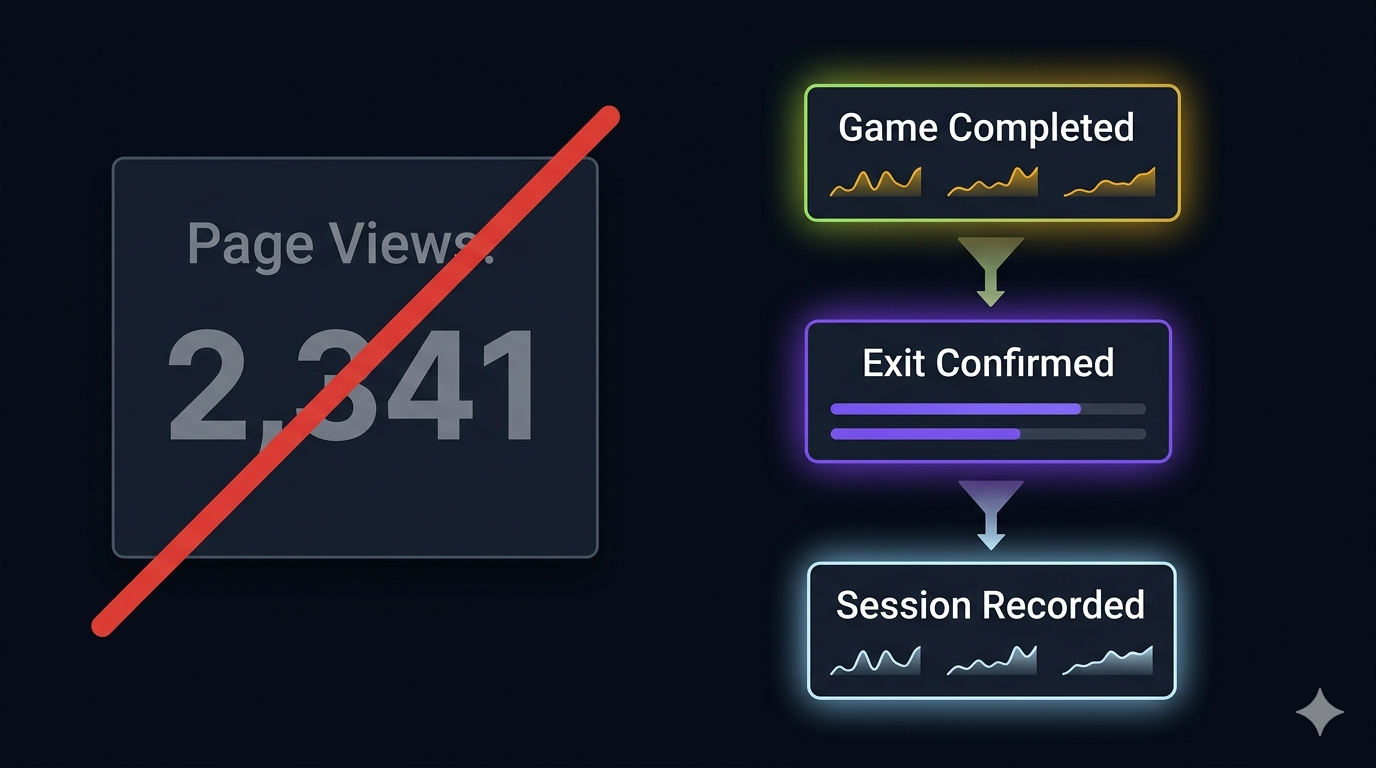

After shipping Trek — our path-finding puzzle game — I opened Mixpanel and saw nothing useful. Page views, screen times, session counts. Generic metrics that don’t tell you whether players are enjoying the game, where they’re stuck, or what difficulty feels right.
A card game like Cabo can get away with “session count” as a proxy for engagement. A puzzle game can’t. Players might open Trek, stare at the grid for 30 seconds, close it, and never come back. A session was recorded, but the player didn’t engage.
Page views tell you someone arrived. They don’t tell you whether anyone stayed, enjoyed it, or came back.
The principle: instrument outcomes, not screens
The shift was simple: stop tracking “the user saw screen X.” Start tracking “the user did Y.” Every event should answer a specific product question:
- Are players completing puzzles? → Track
Trek Game Completedwithdifficultyandelapsed_seconds. - Where do they give up? → Track
Exit Game Confirmedwithelapsedandpath_lengthvstotal_cells. - What difficulty is too hard? Too easy? → Track completion rate per difficulty alongside average solve time.
- Are they replaying? → Track
Trek Game Restartedand compare new-game starts vs continued plays.
The event schema is flat and predictable. Every event has a name, a timestamp, and a bag of properties. No nested objects. No arrays of arrays. Just key-value pairs that Mixpanel can segment on.
The event catalog
Here’s the actual event list from our analytics constants file. Each event answers a product question or tracks a conversion:
Game lifecycle events
// ── Game start / end ──
const trekGameStarted = "Trek Game Started";      // { difficulty }
const trekGameCompleted = "Trek Game Completed";    // { difficulty, elapsed_seconds, xp }
const recallGameStarted = "Recall Game Started";
const recallGameCompleted = "Recall Game Completed";
const wordgridGameStarted = "Wordgrid Game Started";
const wordgridGameCompleted = "Wordgrid Game Completed";

// ── Exit / abandon ──
const exitGameTapped = "Exit Game Tapped";
const exitGameConfirmedTapped = "Exit Game Confirmed Tapped";
const exitGameCancelledTapped = "Exit Game Cancelled Tapped";
Note the Cancelledevent. Tracking “exit cancelled” tells you how many people considered leaving but stayed. Without it, you only see the people who actually left — you never see the ones who almost did.
Conversion / monetization events
// ── Monetization ──
const coinBarTapped = "Coin Bar Tapped";
const gemBarTapped = "Gem Bar Tapped";
const adRewardGranted = "Ad Watch Reward Granted";
const adRewardFailedToLoad = "Ad Reward Failed To Load";
const getAmazonVoucherTapped = "Get Amazon Voucher Tapped";
Each monetization event tracks the full funnel. Coin Bar Tapped tells you the user showed interest. Whether they actually watched an ad is tracked by Ad Reward Granted or Ad Reward Failed To Load. If you only track the success, you can’t calculate the drop-off rate.
PQ telemetry events
// ── PQ (Play Quotient) telemetry ──
const pqSessionRecorded = "PQ Session Recorded";
  // { sessionId, gameId, xpEarned, outcome, clamped, validatedXp, attemptCount }
const pqSessionRecordFailed = "PQ Session Record Failed";
  // { reason, statusCode, terminal }
const pqSessionClamped = "PQ Session Clamped";
  // { sentXp, validatedXp }
const pqSessionSkippedFlagOff = "PQ Session Skipped (Flag Off)";
The PQ telemetry events track the entire pipeline — not just success.PQ Session Skipped (Flag Off) fires when the Remote Config kill switch is on, telling us the feature is working but intentionally suppressed. PQ Session Clamped tells us when a player tried to submit more XP than the server allows — a sign of either cheating or a scoring bug. PQ Session Record Failed with terminal: true goes to Crashlytics as a failure event.
The naming convention
Event names follow a simple pattern: Noun Verb or Noun + State. No abbreviations. No hierarchies. Every name is human-readable in the Mixpanel dashboard.
Trek Game Started— nottk_game_startAd Reward Granted— notmonetization_ad_rewardPQ Session Clamped— notpq_clamp
The reason: six months from now, you won’t remember what tk_gsmeans. You will remember what “Trek Game Started” means. Readable event names are documentation.
What I stopped tracking
Early on, I tracked every screen transition and button tap. The result was a flood of low-value events that diluted the signal. Things I removed:
- Screen transition events.Mixpanel’s built-in screen tracking (or Firebase Analytics’ automatic logging) already captures this. No need for manual duplication.
- AFK / idle events.We tried tracking “user idle for 5 minutes.” It was noise. Engagement is better measured by game completion rate and session count.
- Every keystroke in the join-code field.Just track “Join Code Submitted” and whether it succeeded or failed. The individual characters don’t matter.
The dashboard I actually use
With the right events in place, the Mixpanel dashboard becomes useful. Here’s what I actually check:
- Completion rate by difficulty —
Trek Game Completed/Trek Game Startedsegmented by difficulty. If hard mode has a 10% completion rate, it’s too hard. - Average solve time by difficulty — the
elapsed_secondsproperty on completion events. If easy mode takes 2 minutes, that’s right. If it takes 30 seconds, it’s too easy. - Funnel: start → complete → replay —
Started→Completed→Restarted. The drop-off between start and complete tells you if the game is too hard. The drop-off between complete and restart tells you if the game is replayable. - PQ telemetry health — ratio of
RecordedtoFailed. If failures spike, something is broken on the backend. - Ad funnel —
Coin Bar Tapped→Ad Reward Granted→Ad Reward Failed To Load. The ratio tells you if the ad provider is serving reliably.
Track outcomes, not screens. Every event should answer a product question that changes what you build next.
The shift from “screen views” to “outcomes” made analytics actionable. Before, I could tell you that 300 people visited the Trek screen. Now I can tell you that 47% complete easy puzzles in under 90 seconds, hard mode has a 22% completion rate, and 8% of ad loads fail. Those numbers change what I build next.